Toothfairy
Ora AI
A 36-second product-launch video for Toothfairy's UK app rollout — polished, punchy, and energetic, built to showcase the Ora AI chat assistant's diagnostic and educational flows.
Introducing Toothfairy's Ora AI Feature
Goal
The brief was to launch the Ora AI feature for the Toothfairy app in the UK. The team needed a video that builds hype while establishing trust, so the direction was clear: polished, punchy, and energetic. Ora AI is an AI-powered dental assistant inside the Toothfairy mobile app. The two key things I needed to showcase were its ability to perform simple, surface-level diagnoses and how it can do simple yet necessary education of its users.
Process
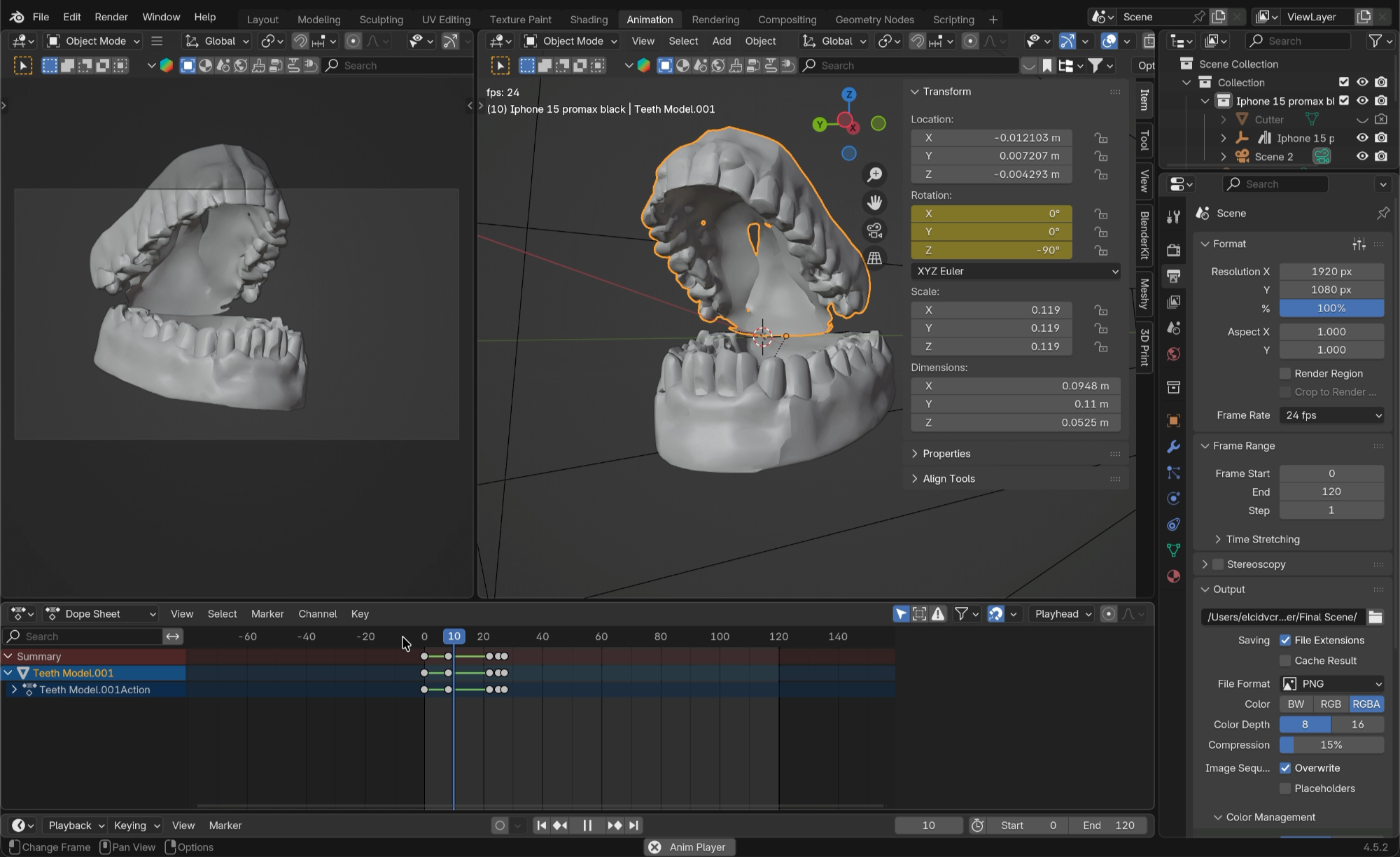
For this project I used Premiere Pro for sequencing and sound design, After Effects for compositing and 2D animation, Blender for 3D scenes (the phone and teeth), and Illustrator to prep vector assets.
Sequence Breakdown
I built the sequence in Premiere Pro, keeping everything tightly synced to the music. I also trimmed the track itself to hit a concise runtime that works well for social media. The structure started by hooking the audience with the problem. The next frame introduced Toothfairy, and since the brand already has a strong reputation, it helped build trust right away. From there, we showed the feature inside the Toothfairy mobile app. A large portion of the video focused on the Ora AI chat UI interaction, first highlighting the diagnostic flow, then the educational component. The outro was a simple logo showcase. Overall, it was a product launch focused on awareness, with no specific call to action. Sound design came last. I layered in clicks, UI sound effects, and cinematic transition hits to give the visuals extra punch. One of the key things I had to showcase clearly was the interaction and expected output from the Ora AI chat interface. These scenes had to have breathing room and allow the audience to digest the information before we jumped back into an energetic pace.
Phone and Tooth 3D
For the final scene, I modeled and animated the phone and tooth in Blender, then rendered them out as a PNG sequence for transparency. My workflow here was to first composite a static version in After Effects to nail the layout and timing. Once that looked right, I'd jump into Blender, render the full animation, and bring the PNG sequence back into AE for the final composite. It's a back-and-forth process, and adjusting timing later can be tricky, but the playback and render flexibility make it worth it.
Seamless Transitions
To make the transitions feel seamless, I relied on a few tricks. First, I'd match cut on shape and color. For example, if I'm transitioning from the background into the app icon, I'd scale and position the background element to match the icon's shape, then cut between them. Second, I'd match the color palette across both frames so the eye doesn't catch the switch. And the secret sauce: I always place the cut at the peak of the motion, right at the fastest point of the movement. I ease the keyframes so the animation starts slow, accelerates through the transition point, then eases back out. That burst of speed is what conceals the jump and makes everything feel like one continuous flow.
Result
The final piece clocks in at 36 seconds: punchy, energetic, and clean. It showcases the Ora AI feature in a way that feels premium without dragging on.
A voiceover version (swapping out the music) was also posted on LinkedIn, where it picked up a lot of engagement from dentists and dental professionals.
On World Oral Health Day, we're thrilled to introduce the new look Ora AI feature, powered by Toothfairy—the world's smartest dental app.